Maker Journal
3D Printing for Good: How Makers and Students Can Help People with Disabilities
Your 3D printer can do more than make cool stuff. Here are the organizations connecting makers with people who need mobility devices, prosthetics, and assistive tools, completely free.
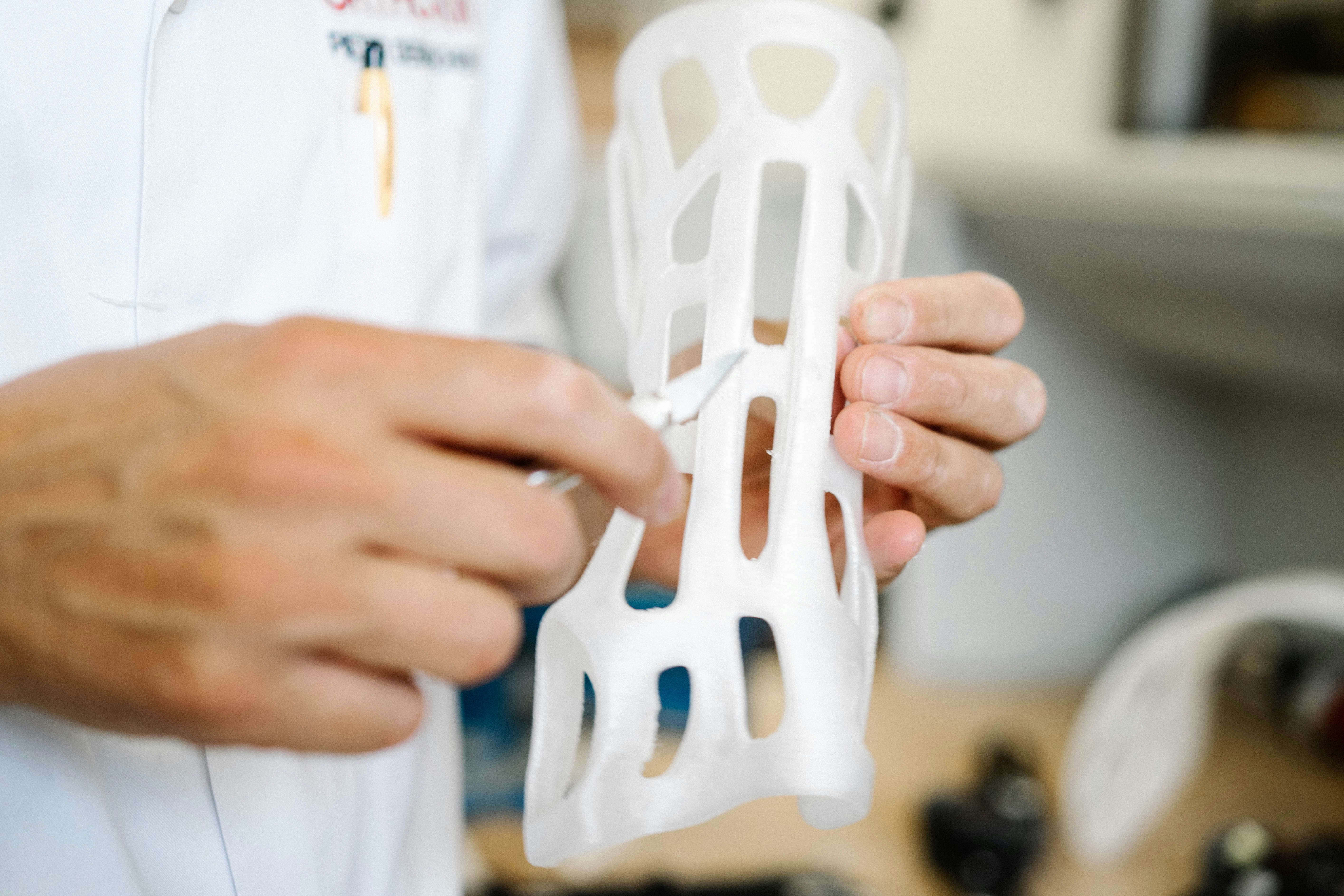
I have a 3D printer in my classroom and another one at home. Between the two of them, I’ve printed a lot of things I’m proud of and a lot of things I’m less proud of. Storage bins, phone stands, pieces for projects that went nowhere, parts that fit poorly and got thrown away.
At some point I started asking myself a simple question: if I have a machine that can make almost anything, what should I actually be making?
I don’t have a dramatic answer to that. I haven’t printed a prosthetic hand yet. But I’ve spent time researching the organizations that make it straightforward to try, and I think every maker who has a reliable printer should know they exist.
There is a moment that happens in a lot of makerspaces when a student realizes their printer can do something genuinely useful for another person. Not useful like a phone stand or a fidget toy. Useful like: this device is going to help a kid walk.
That moment is worth chasing. And there are real organizations set up to make it happen.
Here is a look at some of the best programs connecting makers — students, hobbyists, teachers, and volunteers — with people who need 3D-printed mobility devices, prosthetics, and assistive technology. All of it free to the families who receive it.
The Organizations Worth Knowing
3D Mobility (3d-mobility.org)
This one sits at the heart of what “making for good” looks like. 3D Mobility connects families of children with mobility challenges to volunteer makers who 3D print custom Toddler Mobility Trainers (TMTs), devices designed to help very young children (ages 1 to 5) develop strength, balance, and independence.
Families submit a request. Volunteers get matched. The device gets printed, assembled, and delivered. Completely free. No insurance, no copays, no catch.
If you have a reliable printer and some time, this is an incredibly focused way to use it.
Become a maker at 3d-mobility.org
e-NABLE (enablingthefuture.org)
e-NABLE is the oldest and largest of these communities. Volunteers use open-source designs to 3D print free prosthetic hands and arms for children and adults who need them. The network has grown to roughly 40,000 volunteers across more than 100 countries, and has delivered devices to an estimated 10,000 to 15,000 recipients worldwide.
Kids can choose the colors and aesthetics of their device. That detail matters more than it sounds. It turns a medical device into something a child is proud to wear.
For a school makerspace, e-NABLE is a great entry point. They have local chapters, clear print documentation, and a social hub for mentorship and questions.
Join e-NABLE at enablingthefuture.org
Makers Making Change (makersmakingchange.com)
Founded in 2012 by the Neil Squire Society, Makers Making Change connects people who have accessibility needs with volunteer makers who can build solutions. The scope here is broader than prosthetics. Their open-source library includes key turners, utensil grips, page turners, switch-adapted toys, phone shoulder rests, and dozens of other practical everyday devices.
People with disabilities (or their families and caregivers) submit a request. Makers fulfill it. Recipients pay only for materials and shipping.
This is a particularly good fit for classrooms because the devices are simple enough for intermediate makers and the library gives students a starting point rather than a blank page.
Get involved at makersmakingchange.com
Access3D (access3d.org)
Access3D keeps it simple. They maintain a curated catalog of printable accessibility devices, and volunteers print and ship them to people who request them. If a recipient has a specific design in mind, they can submit a link and Access3D figures out the rest.
It is a good option if you want to contribute prints without navigating a large community hub.
Start printing at access3d.org
IATP Makers / Illinois Assistive Technology Program (iatpmakers.org)
The Illinois Assistive Technology Program partnered with e-NABLE to run a slightly different model. Instead of matching individual makers to individual recipients, they collect standardized printed devices in bulk and distribute them through assistive technology events and demo programs.
The designs are intentionally simple: no assembly, no post-processing. You print from their library, ship the devices in, and they handle the matching. It is a low-friction way to contribute prints consistently, even if you are across the country.
See the device catalog at iatpmakers.org
Hope3D (hope3d.org)
Hope3D is a crowdsourced platform where makers from around the world contribute printed parts to larger collaborative projects. The model is more open-ended than the others. Project ideas can be submitted, and volunteers opt in. If you are interested in community-driven design challenges beyond standard assistive tech, this is worth watching.
How to Bring This Into Your Makerspace
If you are a teacher or makerspace coordinator, these organizations are not just service opportunities. They are curriculum. Here is how to think about it:
Start with a device, not an abstract goal. Pick one item from the Makers Making Change library or the IATP catalog and walk students through the full print process. Talk about why that specific design exists and who it helps.
Talk about iteration. Most of these devices went through many versions before they were good. That is the whole story of open-source AT design, and it maps perfectly onto what students are already learning about prototyping.
Make the recipient real. e-NABLE lets kids choose colors for prosthetics because it matters to the child receiving it. When students understand that a real person will use what they print, the stakes change.
Document the process. A student who writes about why a specific grip aid is shaped the way it is, covering what muscle groups it accounts for and what trade-offs the designer made, is doing real engineering thinking.
Connect to material choice. PLA, PETG, TPU: the material decisions are not just technical. For a device that will be worn or handled daily, they are about the user’s comfort and safety. That conversation is worth having.
A Note on Printer Requirements
Most of these organizations work with standard FDM printers. You do not need anything fancy. PLA prints well for most assistive devices, though some designs call for flexible TPU sections where something needs to flex or grip.
If you have a multi-material setup, there are designs that take advantage of it, combining rigid and flexible filament in a single print. But single-material prints are the norm and the focus.
The main thing is consistency. These devices need to be reliable. That means dialing in your first layer, checking your tolerances, and not shipping something you would not use yourself.
Making things is great. Making things that change someone’s day, or their kid’s ability to move through the world, is something else entirely. These organizations have already done the hard work of building the infrastructure. All you need is a printer and a little time.
Pick one. Print something.
Have you printed assistive devices through one of these programs? Know of another organization worth adding to this list? Drop it in the comments below.