Maker Journal
We Got a Free Drone. Then I Realized I Had No Idea What the Rules Were
A Promark P70 VR landed in our hands for free. What started as figuring out how to legally fly it with my son turned into a deeper look at drone licensing, the FAA TRUST test, Part 107 certification, and whether drones belong in the K-6 makerspace.
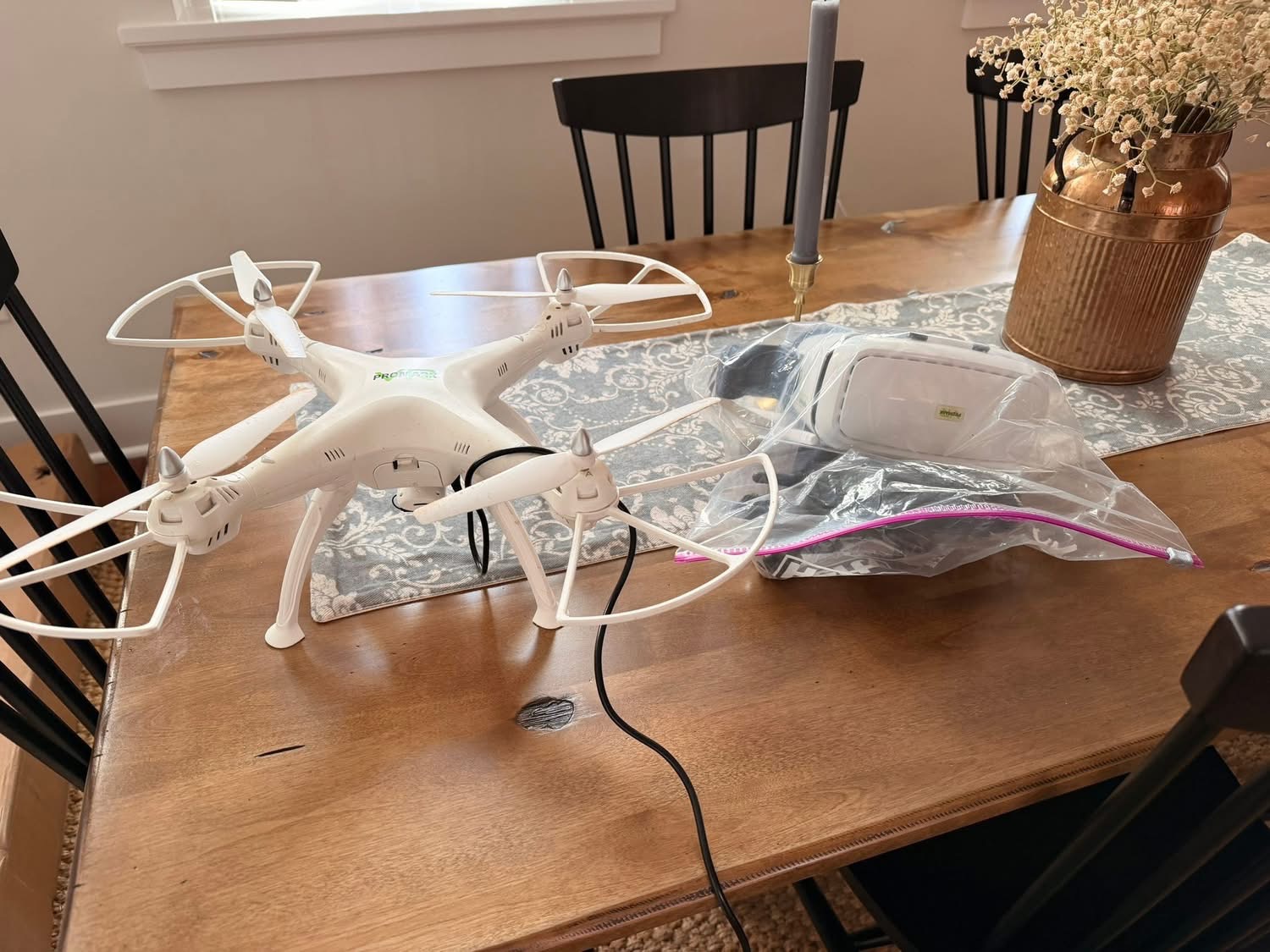
Sometimes the best maker projects start with someone handing you something and saying “here, take this.”
That’s how a used Promark P70 VR drone ended up in my hands recently. It came from someone who had flown it a handful of times and lost interest. Good condition, all the parts, VR goggles included. My first thought was that my son would love it. My second thought, about five minutes later, was that I had absolutely no idea what the rules were for flying the thing.
I’ve been in makerspace and technology education long enough to know that “I didn’t know I needed a license” is not a defense anyone wants to test with the FAA. So before we even charged the battery, I went down a rabbit hole. What follows is what I found, organized for anyone else who ends up with a drone and the same blank look I had.
First: What Even Is the Promark P70?
The P70 is a budget consumer quadcopter that was sold primarily through Walmart and Amazon in the 2016-2017 era, retailing around $100-150. Its headline feature is a built-in WiFi camera that streams live video to a paired smartphone, which you can then view through the included VR goggles for a rough first-person view experience. It uses brushed motors, has altitude hold, headless mode, auto takeoff and landing, and weighs in at 1.28 pounds.
That last number matters, and I’ll get to why in a moment.
The P70 is not a precision machine. It has no GPS, no return-to-home, and the FPV stream is laggy enough that actually flying by the goggles is more of a party trick than a real capability. But for a 12-year-old learning to fly his first real-sized drone? It’s a genuinely solid starting point. The prop guards snap on, the parts are mostly compatible with the Syma X8 line (which means cheap and easy to find replacements), and the altitude hold makes the learning curve much gentler than it would otherwise be.
The FAA Registration Question
Here’s the number that matters: 1.28 pounds is well over the 0.55-pound threshold at which the FAA requires you to register your drone. The rule is simple: if your drone weighs more than 250 grams and you’re flying in the United States, it needs to be registered.
Registration happens at faadronezone.faa.gov. It costs five dollars, takes about ten minutes, covers your entire recreational drone inventory under one registration number, and is valid for three years. You get a registration number that you physically affix to the drone. Done.
As the adult in this situation, I registered it in my name. The FAA requires the owner to be at least 13, so if your kid is younger than that, the registration goes under your name anyway.
The TRUST Test
Registration is the easy part. The part I hadn’t heard of before this whole thing is the TRUST test, which stands for The Recreational UAS Safety Test. The FAA has required it since 2021, and it applies to anyone flying a drone recreationally in the United States.
The good news is that the TRUST is about as low-stakes as a government requirement gets. It’s free, it’s online, it’s untimed, you can retake individual questions if you get them wrong, and you cannot ultimately fail it. It walks you through the material, you answer questions until you get them right, and at the end you receive a certificate that you’re supposed to carry with you whenever you fly.
The test takes about 30 minutes and covers the things you’d actually want to know anyway: airspace classifications, the 400-foot altitude limit, how to check for flight restrictions before you go out, what to do near airports, and the basics of flying safely around people. It’s not intimidating. I’d describe it as more like a structured orientation than an exam.
There are several FAA-approved places to take it. I’d recommend UAV Coach or Pilot Institute for the smoothest experience. The Academy of Model Aeronautics also hosts it and has a solid quick study guide if you want to read through the key terms first.
One critical note: when you finish, download and save your certificate immediately. The FAA cannot reissue it if you lose it. If that happens, you just retake the test, but save yourself the hassle.
That’s It for Recreational Flying
To summarize the legal checklist for flying a drone like the P70 recreationally: register it at FAA DroneZone ($5), pass the TRUST test (free, ~30 minutes), and carry both your registration number and your TRUST certificate when you fly. Check the FAA’s B4UFLY app before each session to see if there are any airspace restrictions or temporary flight restrictions in your area.
That’s genuinely the whole list.
Then I Started Thinking About Part 107
Once I understood the recreational side, I got curious about what the commercial path looked like. The FAA Part 107 Remote Pilot Certificate is what you need if you ever want to fly a drone for any paid or commercial purpose: real estate photography, roof inspections, event coverage, anything where money or business value is involved.
Part 107 is a different beast from the TRUST test. It requires passing a 60-question proctored exam at an FAA-approved testing center, covering airspace classifications, weather interpretation, reading sectional charts, and a range of operational and regulatory topics. The testing fee is $175. Most people who pass studied for two to four weeks using a dedicated prep course.
The minimum age is 16, which rules out most of my students but is worth knowing for anyone reading this who’s thinking longer term.
I’ll be honest: looking at the exam content made me realize how much I didn’t know about aviation concepts. Sectional charts alone are their own world. The audio and podcast options I found helpful for getting oriented were Ask Drone U, Drone Radio Show, and a purpose-built Audible course called FAA Part 107 Drone Exam AudioLearn that covers the exam material in narrated, commute-friendly chapters. For a full video course, Drone Pilot Ground School and Drone Launch Academy are the two most consistently recommended options, with the latter being the better value of the two.
Where This Gets Interesting for the Classroom
Here’s where my brain started going somewhere more interesting than just “how do I fly this thing with my kid.”
I run an innovation lab with a makerspace model at an elementary school. We do 3D printing, laser cutting, woodworking, circuits, and coding. Drones are a natural extension of that work, and the question of how they fit into a K-6 context is genuinely worth thinking through.
The first thing to understand is the commercial vs. recreational distinction. If students are flying drones purely as a learning activity, with no business purpose attached, that falls under recreational rules. The TRUST test and FAA registration are the requirements, and there are no minimum age restrictions for taking TRUST. A motivated fifth grader can absolutely complete it.
That said, there are a few angles worth thinking through carefully before you bring drones into a school program.
Privacy and airspace. Schools are often located near controlled airspace, especially in suburban and urban areas. The B4UFLY app is your first stop for checking whether your school’s location requires airspace authorization before flying outdoors. The FAA’s LAANC system automates that authorization process for many areas and is worth understanding.
Indoor vs. outdoor. The FAA rules apply to National Airspace, which means indoor flight in a gymnasium or makerspace is largely outside their jurisdiction. This makes indoor micro-drones an attractive entry point for classroom programs. Drones like the Tello or similar small educational quads designed for indoor use can teach the same foundational concepts – orientation, control inputs, spatial reasoning – without the airspace compliance layer.
The Part 107 question for teachers. If a teacher wanted to incorporate drone footage into a school project in a way that involved any kind of commercial purpose (a video produced for a client, documentation work for the school’s marketing, etc.), that would technically push into Part 107 territory. For most classroom contexts this won’t be an issue, but it’s worth knowing where the line is.
It’s a legitimate STEM vehicle. The physics alone are rich: lift, drag, thrust, torque, gyroscopic stabilization, the math behind motor mixing. Add in programming (most educational drones support Scratch or Python control via SDK), and you have a tool that bridges physical making with computational thinking in a way that’s hard to replicate with other platforms.
I don’t have this fully figured out for my own program yet. The P70 is too large and too unpredictable for classroom use, and I’d want to start with something purpose-built for education. But the rabbit hole that started with a free used drone has me genuinely thinking about where this fits in the next iteration of the curriculum.
The Resource PDF
If you want all of these links in one place, I put together a one-page PDF with everything organized by category: registration and TRUST, FAA rules, Part 107 prep courses, and podcasts. You can grab it below.
Download: Drone Pilot Resource Guide (PDF)
The short version, if you just want the checklist:
For recreational flying, register at FAA DroneZone, pass the TRUST test at UAV Coach or Pilot Institute, download the B4UFLY app, and you’re legal. For commercial flying, look at Drone Pilot Ground School or Drone Launch Academy for Part 107 prep, and budget four to six weeks of study time. For classroom use, start indoors with a purpose-built educational drone and work outward from there.
More to come on the classroom angle as I develop it. If you’re already running a drone program in an elementary or middle school setting, I’d genuinely love to hear how you’ve structured it.
Update, May 2026: After trying a few of the paid weather tools and watching them disappear behind paywalls, I ended up building a free one. If you’re at the point of actually flying and want a quick pre-flight weather check, I wrote about that here.