Maker Journal
Free Vocabulary Puzzles for Tech Ed: Reinforcement and Early Finisher Work
Tech Trails is a free word puzzle for Tech Ed classes. 19 puzzles on coding, 3D printing, the design process, and wood shop, with a definition for every word.
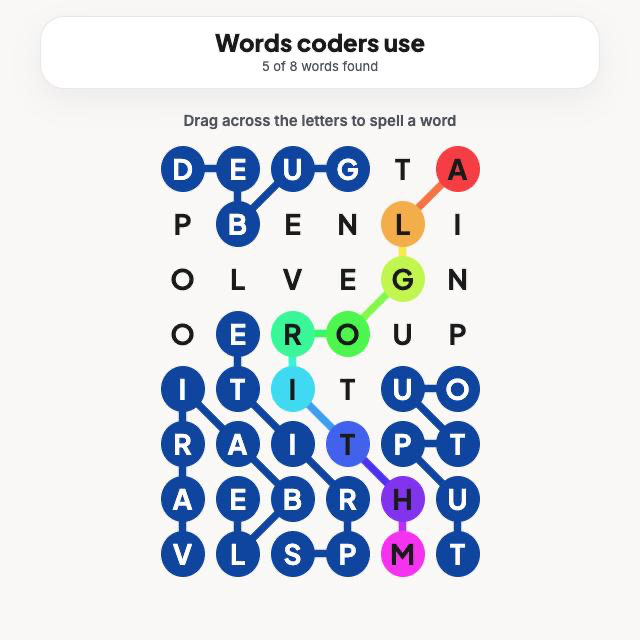
Tech Ed is full of words students use for a week and then lose. Extruder, dado, iteration, variable. They show up on a worksheet, maybe a quiz, and then the unit ends. The students who can use the words correctly a month later are usually the ones who kept running into them.
I wanted a low-stakes way to keep running into them, so I made one. Tech Trails is a free word puzzle for Tech Ed classes. It runs in any browser, including school Chromebooks, and there is nothing to sign up for.
How it works
Each puzzle is a grid of letters with a theme, like “Inside a 3D printer” or “Staying safe in the shop.” Students drag across touching letters to spell the hidden words. Letters can connect in any direction, and every letter on the board belongs to exactly one word.
One word is special. It’s the rainbow word, and it runs from the top of the board to the bottom. It’s usually the big idea for the theme, like ALGORITHM for a coding puzzle or PROTOTYPE for the design process.
I made it because my students already love themed word games, and I wanted that same pull for vocabulary I’m trying to teach. Tech Trails is its own thing and isn’t affiliated with any of those games.
Four topics, 19 puzzles
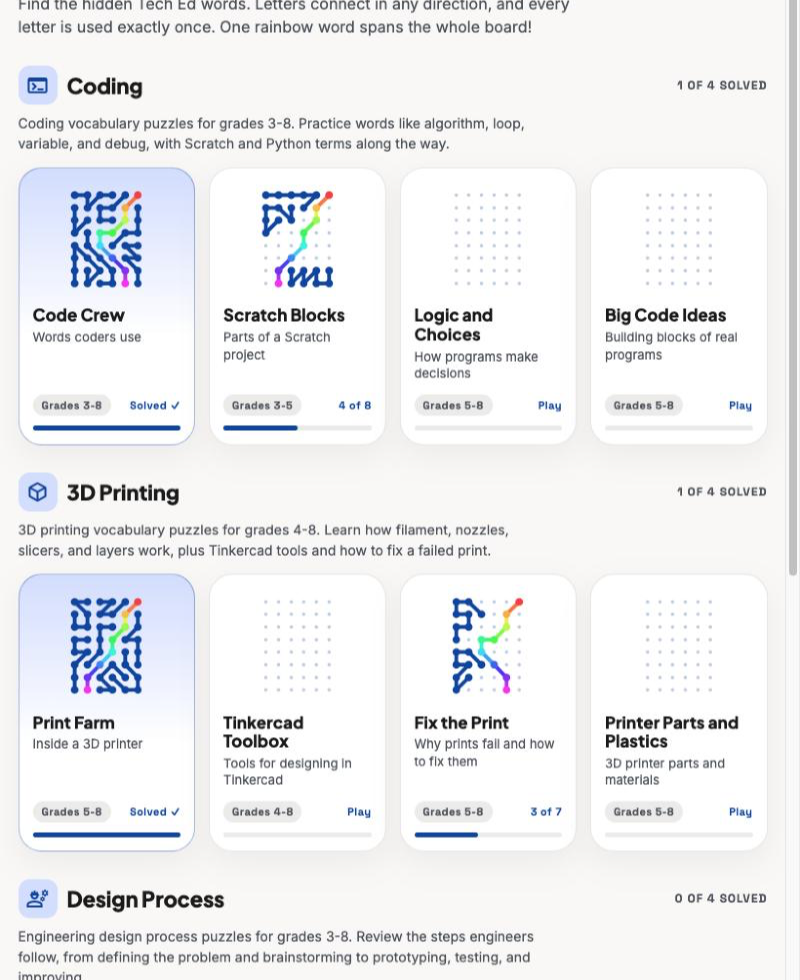
The puzzles are grouped by topic, and each tile shows a mini board that fills in as students find words.
- Coding (4 puzzles): algorithm, loop, variable, debug, Scratch blocks, conditions, functions, and Python basics.
- 3D Printing (4 puzzles): filament, nozzle, slicer, Tinkercad tools, failed print problems, and printer parts and plastics.
- Design Process (4 puzzles): define, brainstorm, prototype, test, improve, plus constraints like budget and deadline.
- Wood Shop (7 puzzles): hand tools, power tools and machines, shop safety, Northeast woods, lumber terms, joints like dovetails and mortise and tenon, and measuring and marking.
Puzzles are labeled for roughly grades 3 to 8. Those labels are my best guess, not a tested reading level.
How I use it in my classroom
I have been using Tech Trails two ways.
Reinforcement. Once we’ve covered a topic, students can do the matching puzzle. It gets the vocabulary back in front of them in a different way than a worksheet does, and it feels more like a game than a quiz.
Extension for early finishers. Every class has students who finish before everyone else. A puzzle gives them something that is still about the content but doesn’t need me to set anything up. They can pick any topic, so a student who just finished a 3D printing project can do a coding puzzle next.
A few other ways it could fit that I think are worth trying:
- A warm-up at the start of class.
- A station in a rotation.
- Sub plans, since students already know how to use it.
- A quick check of which words stuck before a unit test.
Every word comes with a definition
Whenever a student finds a word, a plain-language definition shows up next to the board. Finding KICKBACK also tells them that it’s when a machine throws a board back at you, and that guards and the right stance help prevent it. That matters more to me than the game part. A student can only find the word by spelling it correctly, and they get the meaning right when they find it.
Easy mode
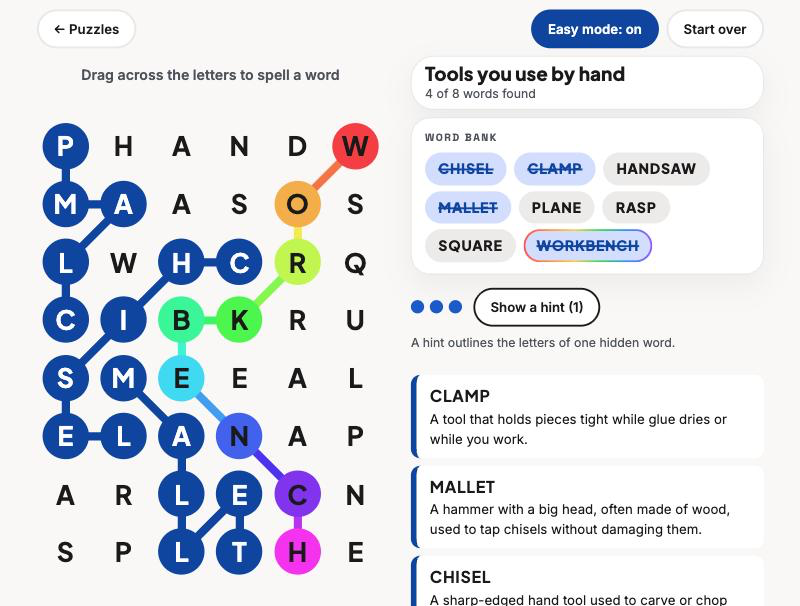
Turn on Easy mode and a word bank appears next to the board, with found words crossed off. It’s a good fit for younger students, students new to the vocabulary, or anyone who got stuck. The rainbow word is outlined in the bank so students know which one spans the board.
With Easy mode off, students have to come up with the words themselves. If they get stuck, every three guesses earns a hint that outlines the letters of one hidden word.
Made for a real class period
- Chromebook friendly. On a wide screen, the board sits on the left and the theme, word bank, hints, and definitions sit on the right, so students should rarely need to scroll. It also works on phones and tablets.
- No accounts, no ads. I don’t collect any student information. Progress is saved only in the browser on that device, so students pick up where they left off on the same computer.
- Self-paced. Students move through at their own speed, so I don’t have to manage the activity.
How I built it
I wrote the topics and the target grade levels. Claude helped me draft the word lists and definitions, and I review them as the teacher. A small script lays out every board so that each letter is used once and no two word paths cross. Then I played the puzzles myself and kept changing things. I added Easy mode, made dragging back over your path erase letters, and swapped out two star words that would have gotten a lot of giggles in a middle school classroom.
What I’m still figuring out
I have mostly used it in my own classes, so I don’t have good numbers on how long a puzzle takes or which ones are too hard. The definitions and the Northeast wood list come from general knowledge, so a wood shop teacher should check them against their own shop. If you try it and a word is wrong, too hard, or missing from your curriculum, please tell me on the contact page. I’d also like to hear what topics you want next. Electronics, robotics, and CAD are on my list.
Try it
Play it free at Tech Trails. For a first try, I’d pick the topic you just finished teaching and turn on Easy mode. You can find more free classroom tools on the Maker404 apps page.